setup your phone

from
MAIN MENU
select IMAX-VIDEO
and [choose a Video ]

then…
1)
When the Video appears,
touch the [ Video ] once
(the VR ICON should be displayed)

2)
When the VR icon appears,
touch the [VRicon] once
…the screen should split intwo

Done
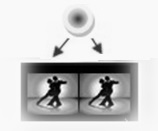
When the screen is split in (2)
the Phone is ready
• • •
(b)
Setup iMAX-VIEWER
See how !


 Rickchannel (health) MENU